Cafe Hopper
Check out app
Rebuilding Café Hopper’s brand identify and making café discovery more intentional


Company
Cafe Hopper
Date
February 2025 - Ongoing
Contributions
UX Audit, UX/UI Design, Branding, Visual Design
Team
Designer (Me), Client Collaboration, 1 Developer
Introduction
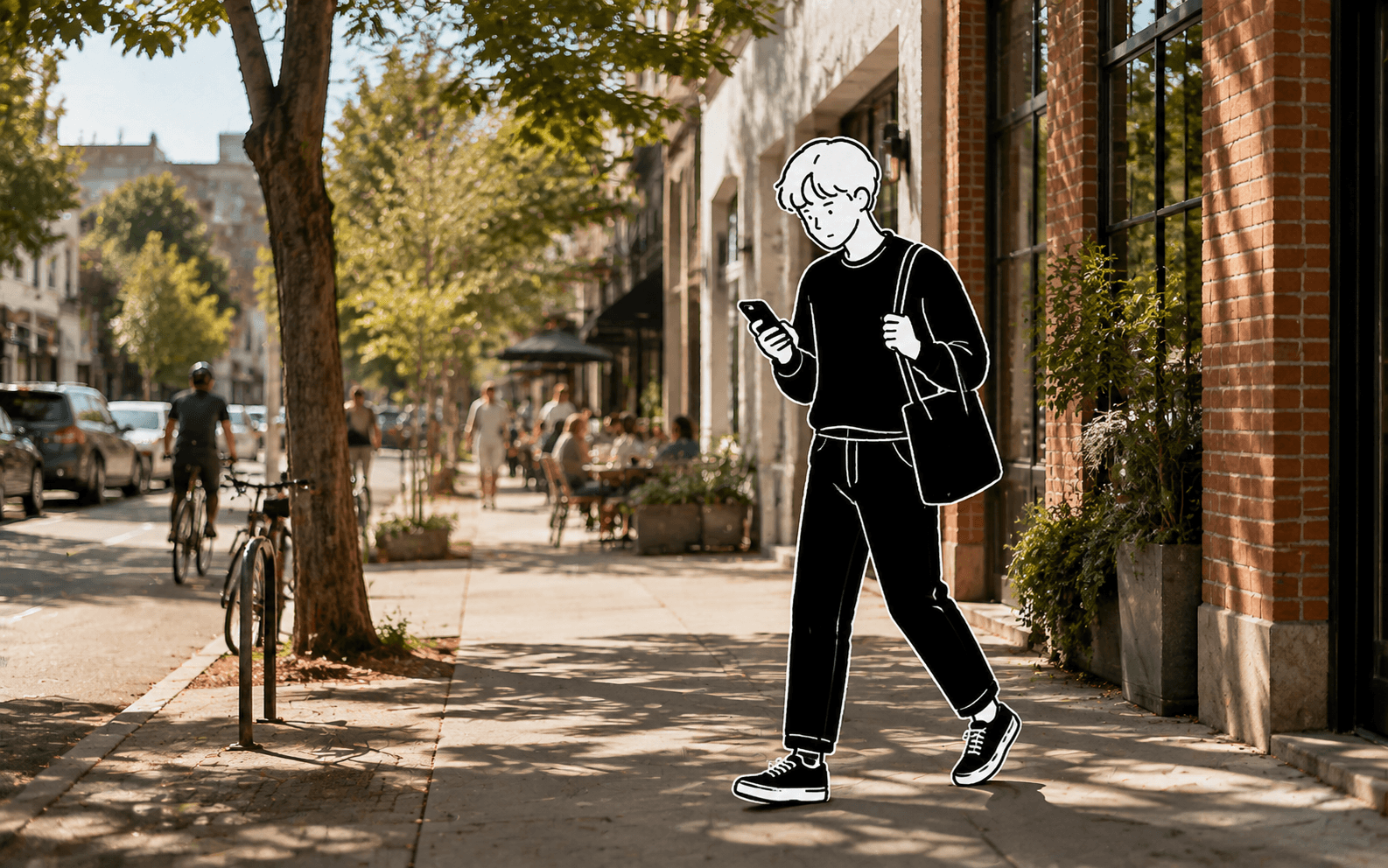
I want to try somewhere new. Now I’m switching between apps…
One café looks beautiful, but does it have Wi-Fi? Another has great reviews, but is there enough seating? I’m saving posts and opening tabs to decide. Sometimes you need somewhere quiet to work, a spacious table for a group, or simply the right atmosphere for a slow afternoon.

The Solution
Finding the right café should be more than just what’s nearby
Café Hopper was created to bring those details together, to help people discover local cafés that fit their preferences. The app provides users with business information such as up-to-date business hours, signature drink menus, exclusive in-app deals, and more.


Screens of Cafe Hopper app
The opportunity
Café-goers can find places based on what matters to them, while independent cafés gain a dedicated space to showcase their offerings, atmosphere, and amenities.
What was I asked to do
A client approached me with an early concept and basic app structure for Café Hopper. I was brought in to develop the brand identity, refine the user journey, and create a cohesive experience ready for launch.
Preview Snapshots


The Problem
Existing Mockups
Auditing the client’s early concept
To understand the app’s structure and identify where the experience broke down, I audited the client’s initial mockups. The review surfaced recurring issues across navigation, interaction patterns, and visual hierarchy, establishing a clear focus for the redesign.
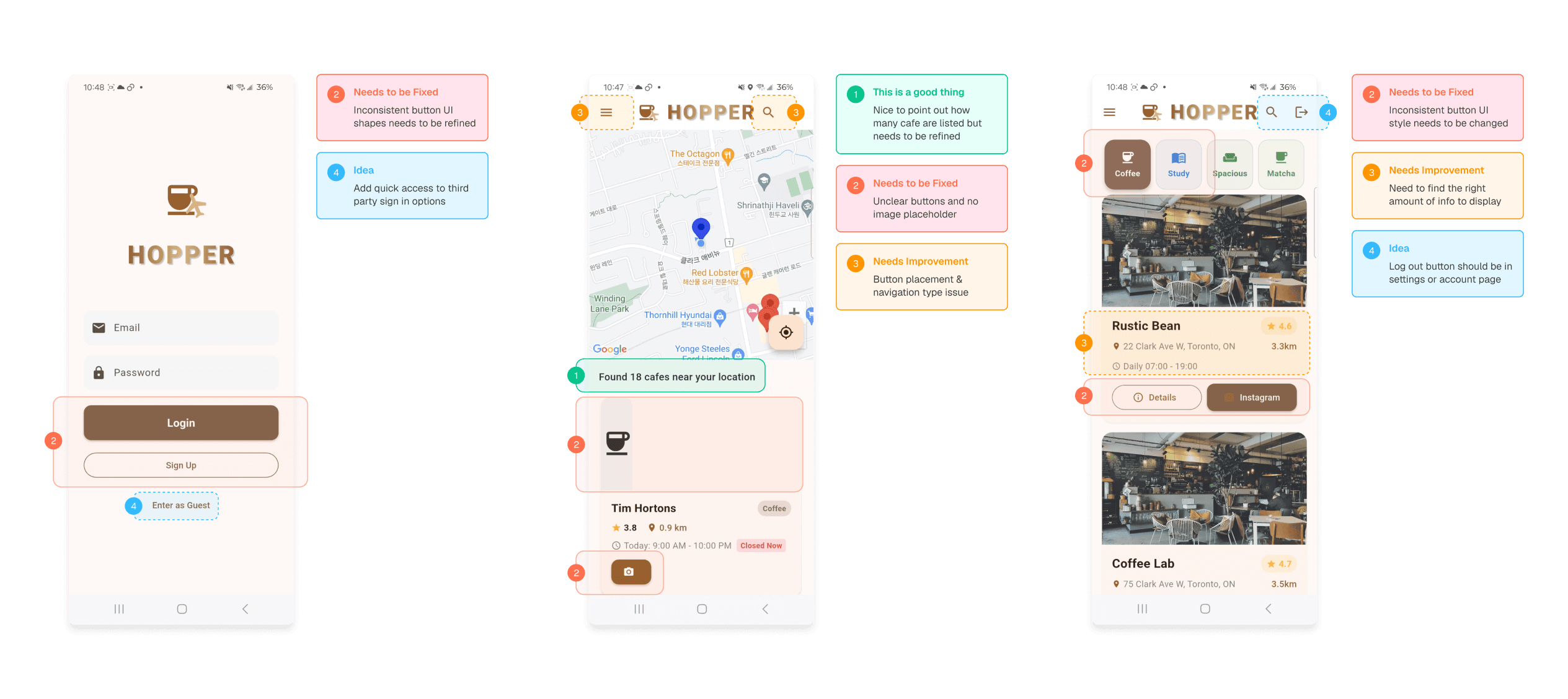
Annotated screens of key issues and areas for improvement
Design Opportunity
The early experience lacked the clarity needed to support café discovery
The app brought useful café information into one place, but inconsistent interface patterns, unclear navigation, and an underdeveloped visual identity made the experience difficult to use and recognize as a cohesive product.
Design Challenge
How might we create an intuitive, recognizable experience that helps people discover the right café with confidence?
Design Process
Brand Direction
Building an identity for café discovery
Café Hopper’s early concept lacked a distinct visual identity. After discussing with the client and gathering a moodboard we agreed upon, I came up with a new brand identity that reflected their vision of making local café discovery feel more personal and curated.

Moodboard exploration

Cafe Hopper logo typography
Information Architecture
Reorganizing the user flow to prioritize ease of navigation, user goals, and key tasks
To understand the app’s structure and identify where the experience broke down, I audited the client’s initial mockups. The review surfaced recurring issues across navigation, interaction patterns, and visual hierarchy, establishing a clear focus for the redesign.
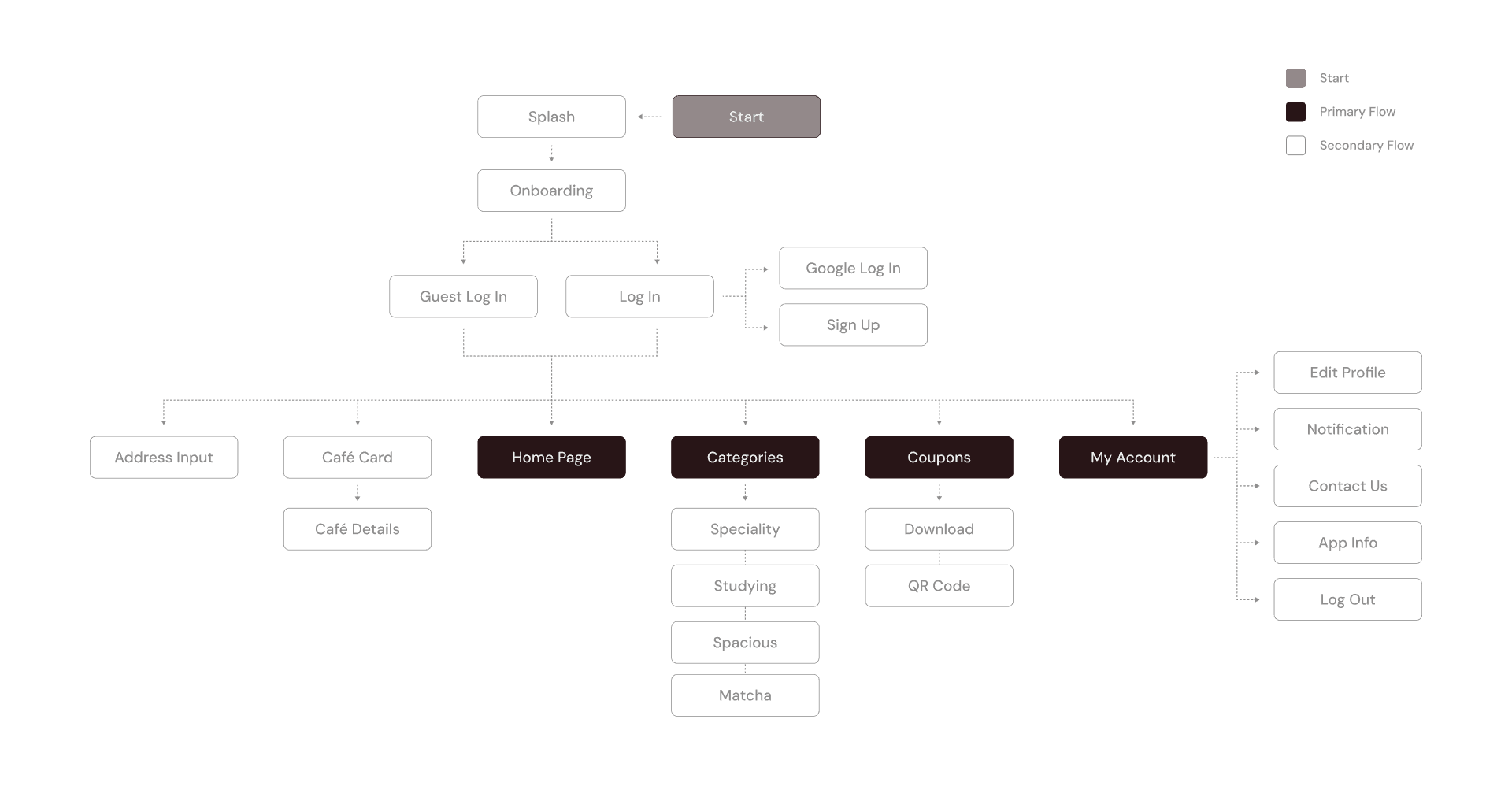
Primary flow outlines the core navigation of the app + secondary flow supports the core journey
Prototyping & Iteration
Refining the interface through two rounds of feedback
Feedback on V1 identified areas where navigation, content hierarchy, and interactions still needed clarification. I carried these findings into V2, refining shared patterns and adding supporting states to create a more complete and consistent prototype for development.

Figma final prototype project page
Final Interaction
Introducing through illustrated onboarding
A short sequence of onboarding screens introduces the app’s core features while bringing its hand-drawn visual identity into the product experience.
Find cafés nearby or explore somewhere new
The map-first home screen surfaces cafés around the user’s current location, while address search makes it easy to explore a different neighbourhood or plan ahead.

Know what to expect before you arrive
Each café page brings together the details people usually search for across multiple platforms, including atmosphere, amenities, opening hours, photos, and contact information.
Turn café discovery into a reason to visit
The coupon experience connects users with offers from local cafés, keeping available promotions in one place and making them easy to access when ordering.
Conclusion
Reflection
What are the next steps for Cafe Hopper?
Since completing the initial redesign, Café Hopper has moved into development and launched its first working version. The app has attracted more than 100 registered users (not including guest users) and now features local cafés across Vancouver and Toronto. Partnerships with participating cafés have also introduced exclusive promotional codes for customers.
As the app continues to develop, the next phase will involve further user research and testing to understand how people use the product in real-world contexts. These insights will help guide future design refinements, feature updates, and improvements to the overall experience for both café-goers and local businesses.